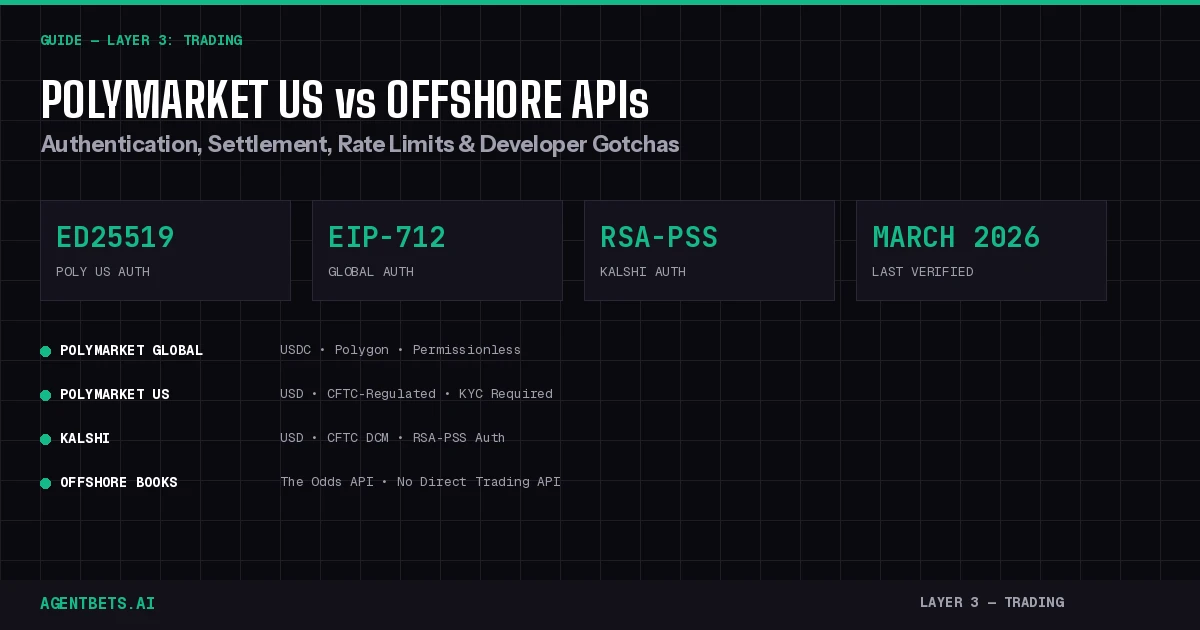
Polymarket Global, Polymarket US, Kalshi, and offshore sportsbooks offer four fundamentally different API experiences for agent developers. Polymarket US launched with Ed25519 auth and CFTC regulation but incompatible SDKs. Kalshi’s March 12 fixed-point migration broke bots that hadn’t updated. Offshore books still have zero public trading APIs — you’re stuck with read-only aggregators. This guide maps every difference that matters for your agent’s trading layer.
Four APIs, Four Worlds
If you’re building an autonomous betting agent in March 2026, you’re choosing between four API ecosystems that share almost nothing beyond the concept of “bet on outcomes.” Each has different authentication, different settlement rails, different rate limits, and different failure modes.
Here’s the architecture at a glance:
┌─────────────────────────────────────────────────────────────────────────┐
│                        AGENT TRADING LAYER                             │
├──────────────────┬──────────────────┬───────────────┬──────────────────┤
│ POLYMARKET       │ POLYMARKET US    │ KALSHI        │ OFFSHORE BOOKS   │
│ GLOBAL           │                  │               │                  │
├──────────────────┼──────────────────┼───────────────┼──────────────────┤
│ clob.polymarket  │ api.polymarket   │ trading-api   │ No direct API    │
│   .com           │   .us            │   .kalshi.com │                  │
├──────────────────┼──────────────────┼───────────────┼──────────────────┤
│ EIP-712 signing  │ Ed25519 keys     │ RSA-PSS       │ N/A              │
├──────────────────┼──────────────────┼───────────────┼──────────────────┤
│ USDC (Polygon)   │ USD (fiat/FCM)   │ USD (fiat)    │ USD/crypto       │
├──────────────────┼──────────────────┼───────────────┼──────────────────┤
│ Permissionless   │ KYC required     │ KYC required  │ Varies           │
├──────────────────┼──────────────────┼───────────────┼──────────────────┤
│ REST + WS        │ REST + WS        │ REST+WS+FIX   │ Read-only via    │
│                  │                  │               │ The Odds API     │
├──────────────────┼──────────────────┼───────────────┼──────────────────┤
│ Unregulated      │ CFTC DCM         │ CFTC DCM      │ Offshore license │
└──────────────────┴──────────────────┴───────────────┴──────────────────┘
For the full picture of how trading APIs fit into the four-layer agent stack (identity, wallet, trading, intelligence), see The Agent Betting Stack Explained.
Polymarket Global vs. Polymarket US — The Split That Breaks Your Code
The single biggest source of developer confusion in March 2026 is the Polymarket split. There are now two separate Polymarket API ecosystems that look similar but are technically incompatible.
Authentication: EIP-712 vs. Ed25519
Polymarket Global uses Ethereum-style EIP-712 typed data signatures. Your agent signs a structured message with its Polygon wallet private key, exchanges it for API credentials (key, secret, passphrase), then HMAC-signs each authenticated request. This is a two-level system: Level 1 (wallet signature) gets you basic access, Level 2 (derived API keys) gets you trading.
# Polymarket Global — EIP-712 authentication
from py_clob_client.client import ClobClient

client = ClobClient(
    host="https://clob.polymarket.com",
    key=PRIVATE_KEY,          # Polygon wallet private key
    chain_id=137,             # Polygon mainnet
    signature_type=2,         # POLY_GNOSIS_SAFE for most wallets
    funder=FUNDER_ADDRESS     # Optional: funding wallet
)
client.set_api_creds(client.create_or_derive_api_creds())
Polymarket US uses Ed25519 cryptographic key pairs — no Ethereum wallet required. You generate API keys through the developer portal after completing KYC via the Polymarket US iOS app. Every request is signed with your Ed25519 private key.
# Polymarket US — Ed25519 authentication (separate SDK)
# pip install polymarket-us-sdk  # Different package entirely
# KYC + iOS app verification required before key generation
# Ed25519 signing — NOT compatible with py-clob-client
This means py-clob-client does not work with Polymarket US. If your agent was built on the global SDK and you want to add US market access, you need a second SDK integration. For the full py-clob-client method reference, see our py_clob_client docs.
Settlement: USDC on Polygon vs. USD via FCM
Polymarket Global settles in USDC on the Polygon blockchain. Your agent needs a Coinbase Agentic Wallet or similar on-chain wallet to hold funds. Deposits and withdrawals go through the Bridge API.
Polymarket US settles in USD through a Futures Commission Merchant (FCM) or broker account. Funding looks like opening a futures account: bank transfer or ACH deposits that credit your trading balance. USDC deposits may also be accepted through a more institutional custody flow, but the rails are fundamentally different.
Market Coverage and Fees
Polymarket US launched with a more conservative market set — the CFTC approval comes with surveillance, reporting, and product restrictions. Expect fewer markets than the global platform, particularly around politically sensitive or niche topics.
On fees, Polymarket Global recently expanded taker fees to sports markets. As of February 2026, taker fees are live on NCAAB and Serie A markets, following the 5-minute and 15-minute crypto market fee rollouts. Maker rebates are now calculated per-market, so makers only compete with other makers in the same market. Check the Polymarket Changelog for the latest fee tables.
What This Means for Agent Developers
If your agent needs to trade in the US legally, Polymarket US is the path — but it requires a full re-integration, not a config change. If your agent already works with Polymarket Global and you want to add US access, plan for:
- A separate SDK dependency and auth flow
- A different funding pipeline (bank/ACH vs. crypto bridge)
- Potentially different market availability
- Separate rate limits and endpoint structures
For agents that need to operate on both, abstract your trading layer behind a common interface. This is where tools like pmxt (a CCXT-style unified SDK for prediction markets) become valuable.
Kalshi: The March 2026 Breaking Change
Kalshi is the other CFTC-regulated prediction market, but its API is architecturally different from both Polymarket variants.
The Fixed-Point Migration (March 12, 2026)
The biggest Kalshi API change this month: legacy integer count fields and integer cents price fields were removed on March 12, 2026. If your bot was still reading yes_bid (integer cents) instead of yes_bid_dollars, it broke.
This was the culmination of a months-long deprecation cycle. The _fp (fixed-point) equivalents for count fields and _dollars equivalents for price fields were available since late 2025. The deadline was pushed back multiple times — first to February 26, then to March 12. If you missed it, the fix is straightforward:
# BROKEN after March 12, 2026:
price = market["yes_bid"]           # Integer cents — removed
count = market["yes_ask_size"]      # Integer count — removed

# CORRECT:
price = market["yes_bid_dollars"]   # Dollars as float
count = market["yes_ask_size_fp"]   # Fixed-point count
Fractional Trading Rollout
Starting the week of March 9, 2026, Kalshi rolled out fractional trading per-market. Check the fractional_trading_enabled field on market responses. On fractional-enabled markets, the old integer fields would have been truncated even before removal — another reason to migrate to _fp and _dollars immediately.
Authentication: RSA-PSS
Kalshi uses RSA-PSS key pairs for API authentication. You generate an RSA key pair, register the public key through your account settings, then sign each request with the private key. This is more complex than simple API key/secret schemes but standard for financial APIs.
# Kalshi authentication — RSA-PSS signing
import base64, datetime, hashlib
from cryptography.hazmat.primitives import hashes, serialization
from cryptography.hazmat.primitives.asymmetric import padding

# Sign: timestamp + method + path
timestamp = str(int(datetime.datetime.now().timestamp() * 1000))
message = f"{timestamp}\n{method}\n{path}"
signature = private_key.sign(
    message.encode(),
    padding.PSS(mgf=padding.MGF1(hashes.SHA256()), salt_length=32),
    hashes.SHA256()
)
headers = {
    "KALSHI-ACCESS-KEY": api_key_id,
    "KALSHI-ACCESS-SIGNATURE": base64.b64encode(signature).decode(),
    "KALSHI-ACCESS-TIMESTAMP": timestamp,
}
Kalshi vs. Polymarket for Agents
| Dimension | Polymarket Global | Polymarket US | Kalshi |
|---|---|---|---|
| Base URL | clob.polymarket.com | api.polymarket.us | api.elections.kalshi.com/trade-api/v2 |
| Auth | EIP-712 + HMAC | Ed25519 | RSA-PSS |
| Settlement | USDC (Polygon) | USD (FCM) | USD (bank) |
| Protocols | REST + WebSocket | REST + WebSocket | REST + WebSocket + FIX v1.0.16 |
| KYC | No | Yes (iOS app) | Yes |
| Python SDK | py-clob-client | Separate US SDK | kalshi_python_sync or raw REST |
| Demo/Paper | No | Unknown | Yes (demo-api.kalshi.co) |
| March 2026 change | Sports taker fees, per-market rebates | Ed25519 auth launch | Fixed-point migration, fractional trading |
Kalshi’s demo environment is a major advantage for agent development. You can test your entire trading pipeline against demo-api.kalshi.co before touching real money. Polymarket Global has no equivalent — you test against production. See our Kalshi API tool entry and the full API reference for endpoint-level details.
Offshore Sportsbooks: The API That Doesn’t Exist
Here’s the hard truth for agent developers: offshore sportsbooks do not have public trading APIs. BetOnline, Bovada, BookMaker, BetUS — none of them publish API endpoints for placing bets programmatically.
What You Actually Get: The Odds API
The only programmatic access to offshore sportsbook data comes through third-party aggregators. The Odds API is the most developer-friendly option, providing:
- REST endpoints for pre-match and live odds from 70+ bookmakers
- Coverage of major US sports (NFL, NBA, MLB, NHL, NCAAF, NCAAB) plus soccer, MMA, golf, and more
- American, decimal, and fractional odds formats
- Historical odds snapshots
# The Odds API — read-only odds data
import requests

response = requests.get(
    "https://api.the-odds-api.com/v4/sports/basketball_nba/odds",
    params={
        "apiKey": YOUR_API_KEY,
        "regions": "us",          # us, uk, eu, au
        "markets": "h2h,spreads",
        "oddsFormat": "american",
        "bookmakers": "betonlineag,bovada,mybookieag"
    }
)
games = response.json()
But this is read-only. You can see what BetOnline is offering at -110 on the Lakers spread, but you cannot place that bet through an API. Your agent can identify the opportunity, but execution requires either browser automation (fragile, ToS-violating) or manual human action.
This is the fundamental asymmetry between prediction markets and offshore sportsbooks from an agent perspective. Prediction market APIs are full-stack (read market, place order, manage position, stream updates). Offshore sportsbook access is read-only at best.
For more on accessing offshore sportsbook data and the specific books that matter, see our Offshore Sportsbook hub and the Sportsbook API section.
The Odds Normalization Problem
Even comparing data across platforms is harder than it looks. Prediction markets price outcomes as probabilities (0.00–1.00), while sportsbooks use American odds, decimal odds, or fractional odds.
Prediction market:  "Lakers win" = 0.62  (62% implied probability)
Sportsbook:         "Lakers ML"  = -165  (62.3% implied, but includes vig)

Conversion: American → Implied Probability
  Negative odds: probability = |odds| / (|odds| + 100)
    -165 → 165 / 265 = 62.3%
  Positive odds: probability = 100 / (odds + 100)
    +145 → 100 / 245 = 40.8%
The catch: sportsbook implied probabilities include the vig (house edge), so the two sides always sum to more than 100%. A prediction market’s two sides sum to exactly 100% (ignoring the spread). When your agent compares prices across platforms, it must strip the vig before deciding whether an arbitrage opportunity exists.
See our guide on Offshore Sportsbook Odds Normalization for the formulas and our AgentBets Vig Index for daily vig rankings across major books.
Common Developer Issues (March 2026)
These are the issues we see developers hitting repeatedly right now.
1. Using py-clob-client Against Polymarket US Endpoints
Symptom: Authentication failures, 401 responses, cryptic signing errors.
Cause: py-clob-client uses EIP-712 signing. Polymarket US expects Ed25519 signatures. The SDKs are not interchangeable.
Fix: Use the Polymarket US SDK for US endpoints. If you need both, create a wrapper interface:
class PredictionMarketClient:
    """Unified interface for Polymarket Global + US"""
    def __init__(self, global_client=None, us_client=None):
        self.global_client = global_client
        self.us_client = us_client

    def place_order(self, market_id, side, price, size, platform="global"):
        if platform == "us":
            return self.us_client.create_order(...)
        return self.global_client.create_order(...)
2. Kalshi Bots Breaking on March 12
Symptom: KeyError or None values when reading price or count fields from Kalshi market data.
Cause: Legacy integer fields (yes_bid, no_bid, yes_ask_size, etc.) were removed on March 12, 2026.
Fix: Replace all legacy field references with their _dollars or _fp equivalents. Also check for fractional_trading_enabled on each market if you’re doing size calculations.
3. Polymarket Rate Limit Confusion
Symptom: 429 errors that seem inconsistent across different endpoints.
Cause: Polymarket enforces rate limits per endpoint, not globally. POST /order allows 3,500 requests per 10 seconds burst with 36,000 per 10 minutes sustained. GET endpoints have different limits. The general limit is 15,000 per 10 seconds, but specific endpoints override this.
Fix: Implement per-endpoint rate tracking. See our Polymarket Rate Limits Guide for the complete per-endpoint table and retry code.
4. The Odds API Data Gaps for Offshore Props
Symptom: Missing or stale odds for prop markets from offshore books.
Cause: The Odds API focuses on major markets (moneylines, spreads, totals). Prop coverage from offshore books is inconsistent and often delayed. Some books simply don’t expose prop data to aggregators.
Fix: For prop market data, you may need to supplement The Odds API with additional sources. Our Odds Converter tool covers the books and markets where data is reliable.
5. Batch Order Limits on Polymarket
Symptom: Batch order requests failing or only partially executing.
Cause: Polymarket increased the batch order limit from 5 to 15 per request in late 2025. If you’re still sending batches of 5, you’re leaving capacity on the table. If you’re trying to send more than 15, you’ll get errors.
Fix: Update batch sizes to take advantage of the 15-order limit. For bulk operations, implement a queue that chunks into 15-order batches with appropriate delays.
6. WebSocket Disconnects and Stale Data
Symptom: Agent stops receiving price updates, makes decisions on stale data.
Cause: WebSocket connections drop for various reasons — network issues, server restarts, Cloudflare edge rotation. Without heartbeats and reconnection logic, your agent goes blind.
Fix: Implement exponential backoff reconnection. The Polymarket Rust SDK has automatic heartbeats built in — if the client disconnects, all open orders are cancelled automatically. If you’re using Python or TypeScript, you need to build this yourself. See our WebSocket Streaming Guide for reconnection patterns.
7. Cross-Platform Arbitrage: The Settlement Timing Gap
Symptom: Apparent arbitrage opportunities that lose money after accounting for settlement delays.
Cause: Polymarket Global settles on Polygon (minutes). Kalshi settles in USD (can take days for withdrawals). Offshore books settle via crypto (hours) or wire (days). An arb that looks profitable at execution can evaporate during the settlement window.
Fix: Factor settlement timing into your P&L calculations. For a complete arbitrage implementation, see our Cross-Market Arbitrage Guide and the Sports Betting Arbitrage Bot Guide.
What This Means for Agent Builders
The prediction market and sports betting API landscape in March 2026 is more fragmented than ever. The Polymarket US/Global split, Kalshi’s fixed-point migration, and the continued absence of offshore sportsbook trading APIs mean that building a multi-platform agent requires significantly more engineering work than a year ago.
The practical recommendation: start with one platform, get it working, then expand. If you need US regulatory compliance, start with Kalshi (better docs, demo environment, stable API). If you need maximum market coverage and permissionless access, start with Polymarket Global. If you need sportsbook odds data for intelligence without automated execution, add The Odds API as a read-only feed.
For the complete identity, wallet, and intelligence layers that turn a trading API integration into a full autonomous agent, see our guides on agent identity, agent wallets, and the Intelligence layer.
This guide covers Layer 3 (Trading) of the Agent Betting Stack. Last verified: March 20, 2026. Found an error or API change we missed? Let us know on Twitter.
Built a prediction market bot? List it in the AgentBets directory so builders and traders can find it.