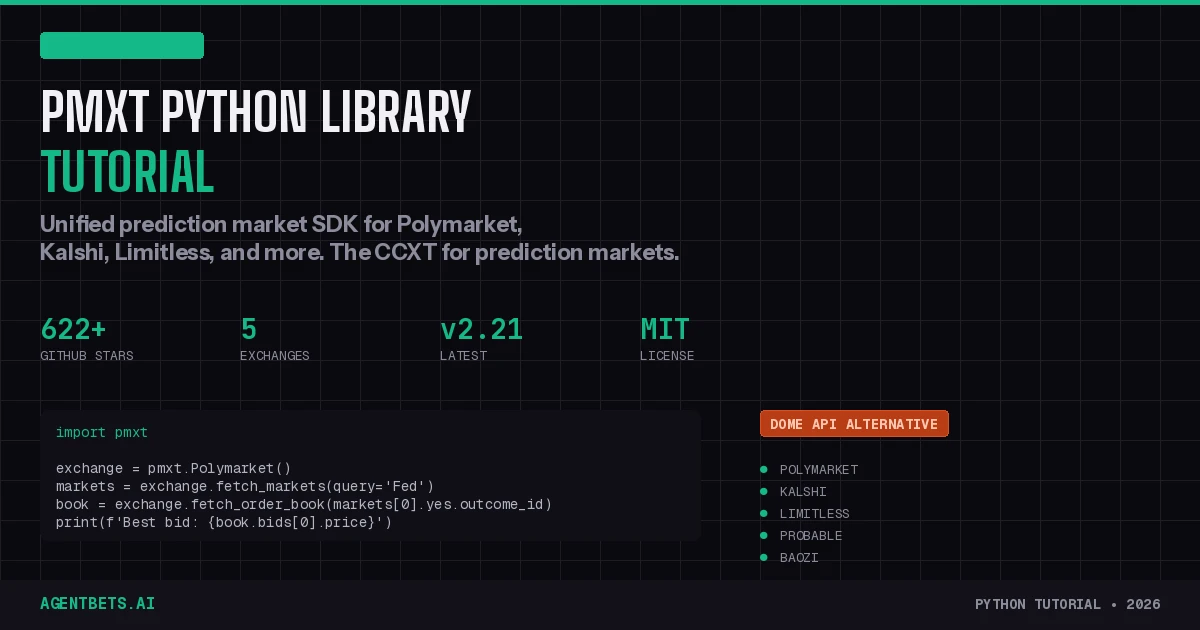
pmxt is the CCXT for prediction markets: one Python SDK to read data and trade across Polymarket, Kalshi, Limitless, Probable, and Baozi. Install with pip install pmxt, initialize an exchange, and use the same method signatures regardless of platform. With Dome API absorbed into Polymarket, pmxt is the only independent unified prediction market SDK still standing.
Why pmxt Exists
Prediction markets are fragmented. Polymarket uses EIP-712 signatures on Polygon. Kalshi uses RSA key authentication over REST. Limitless uses its own EIP-712 variant. Each platform has different data formats, different price conventions, and different SDKs.
If you’re building an agent that needs to scan markets across multiple exchanges — for arbitrage, for intelligence gathering, for portfolio management — you’d normally maintain three separate API integrations. pmxt eliminates that. One pip install, one set of method names, every exchange.
The timing matters: Polymarket acquired Dome (the YC W25 unified API startup) in February 2026. Dome raised $5.2M and had 50+ developers building on it, but its standalone API is now being folded into Polymarket’s internal tooling. That leaves pmxt as the only open-source, exchange-neutral prediction market SDK available. If you were on Dome, you need to migrate. If you’re starting fresh, pmxt is the default choice.
For context on how pmxt fits into the full autonomous agent architecture, see The Agent Betting Stack Explained. pmxt operates at Layer 3 — Trading, handling market execution while other layers handle identity, wallet management, and intelligence.
Prerequisites
pmxt has an unusual dependency: it requires both Python and Node.js.
The library uses a sidecar architecture — a local Node.js server runs on port 3847 and handles all exchange communication. The Python SDK is a wrapper that sends requests to this sidecar over HTTP. This means:
- Python 3.8+ — for the SDK itself
- Node.js 18+ — must be installed and the
nodecommand available on your PATH - pip — standard Python package manager
Verify Node.js is accessible:
node --version
# v20.x.x or higher
If you don’t have Node.js, install it from nodejs.org or via your package manager:
# macOS
brew install node

# Ubuntu/Debian
curl -fsSL https://deb.nodesource.com/setup_20.x | sudo -E bash -
sudo apt-get install -y nodejs

# Windows
winget install OpenJS.NodeJS
Installation
pip install pmxt
That’s it. The first time you instantiate an exchange, pmxt automatically downloads and starts the sidecar server. You don’t need to install anything via npm separately — the Python package handles the Node.js dependency internally.
Verify the installation:
import pmxt

api = pmxt.Exchange()
events = api.fetch_events(query='Fed')
print(f"Found {len(events)} events")
If this prints a count without errors, you’re set. If you see a connection error, check that node is on your PATH.
Core Concepts: Events, Markets, Outcomes
pmxt normalizes prediction market data into a three-level hierarchy that’s consistent across all exchanges:
┌─────────────────────────────────────────────────────────┐
│  Event                                                  │
│  "Who will Trump nominate as Fed Chair?"                │
│                                                         │
│  ┌─────────────────────┐  ┌─────────────────────┐      │
│  │  Market              │  │  Market              │     │
│  │  "Kevin Warsh?"      │  │  "Kevin Hassett?"    │     │
│  │                      │  │                      │     │
│  │  ┌────┐  ┌────┐     │  │  ┌────┐  ┌────┐     │     │
│  │  │ Yes│  │ No │     │  │  │ Yes│  │ No │     │     │
│  │  │0.45│  │0.55│     │  │  │0.20│  │0.80│     │     │
│  │  └────┘  └────┘     │  │  └────┘  └────┘     │     │
│  │  (Outcomes)          │  │  (Outcomes)          │     │
│  └─────────────────────┘  └─────────────────────┘      │
└─────────────────────────────────────────────────────────┘
- Event — The broad topic. Contains one or more markets.
- Market — A specific tradeable question within an event.
- Outcome — The actual share you buy or sell (
Yes/No). Each outcome has anoutcome_idthat you pass to trading and data methods.
This distinction matters because different exchanges use different terminology. Polymarket calls them “conditions” and “tokens.” Kalshi calls them “events” and “markets.” pmxt unifies everything into this Event → Market → Outcome hierarchy.
Reading Market Data (No Auth Required)
All read operations work without credentials. Use pmxt.Exchange() for exchange-agnostic browsing, or pmxt.Polymarket() / pmxt.Kalshi() to target a specific exchange.
Search Events
import pmxt

api = pmxt.Exchange()

# Search by keyword
events = api.fetch_events(query='Federal Reserve')

for event in events[:5]:
    print(f"{event.title}")
    print(f"  Markets: {len(event.markets)}")
    for market in event.markets[:3]:
        print(f"    {market.title}: Yes={market.yes.price:.2f} No={market.no.price:.2f}")
    print()
Search Markets Directly
# Search across all markets
markets = api.fetch_markets(query='Trump', limit=10)

for m in markets:
    print(f"{m.title}")
    print(f"  Yes: {m.yes.price:.2f}  |  24h Volume: ${m.volume_24h:,.0f}")
Filter Markets
pmxt includes built-in filtering with text search, structured criteria, and custom predicates:
# Structured filter: high-volume markets with low yes price
undervalued = api.filter_markets(markets, {
    'volume_24h': {'min': 10000},
    'price': {'outcome': 'yes', 'max': 0.3}
})

# Custom predicate: markets with big price swings
volatile = api.filter_markets(markets,
    lambda m: abs(m.yes.price_change_24h) > 0.05
)
Fetch a Single Market by Slug
market = api.fetch_market(slug='will-trump-win')
print(f"{market.title}: {market.yes.price:.2f}")
Price History and OHLCV Data
pmxt provides candlestick data at multiple resolutions — essential for backtesting and technical analysis.
import pmxt

poly = pmxt.Polymarket()

# Find a market
markets = poly.fetch_markets(query='Bitcoin price')
outcome_id = markets[0].yes.outcome_id  # CRITICAL: use outcome_id, not market_id

# Fetch hourly candles
candles = poly.fetch_ohlcv(outcome_id, resolution='1h', limit=100)

for candle in candles[-5:]:
    print(f"  Open: {candle.open:.3f}  High: {candle.high:.3f}  "
          f"Low: {candle.low:.3f}  Close: {candle.close:.3f}  "
          f"Vol: {candle.volume:.0f}")
Available resolutions: '1m', '5m', '15m', '1h', '6h', '1d'.
Common mistake: Passing the market ID instead of the outcome ID. On Polymarket, outcome_id maps to the CLOB Token ID. On Kalshi, it maps to the Market Ticker. Always use outcome.outcome_id.
Order Book Analysis
The order book reveals real liquidity — what you’ll actually pay when you trade.
import pmxt

poly = pmxt.Polymarket()

markets = poly.fetch_markets(query='Fed rate decision')
outcome = markets[0].yes

# Fetch current order book
book = poly.fetch_order_book(outcome.outcome_id)

print(f"Best bid: {book.bids[0].price:.3f} ({book.bids[0].size} contracts)")
print(f"Best ask: {book.asks[0].price:.3f} ({book.asks[0].size} contracts)")
spread = (book.asks[0].price - book.bids[0].price) * 100
print(f"Spread: {spread:.1f}%")

# Top 5 levels
print("\nBids:")
for level in book.bids[:5]:
    print(f"  {level.price:.3f} x {level.size}")

print("\nAsks:")
for level in book.asks[:5]:
    print(f"  {level.price:.3f} x {level.size}")
Simulate Execution Price
Before placing a large order, check what you’d actually pay given current liquidity:
# How much would 100 contracts cost?
avg_price = poly.get_execution_price(book, side='buy', amount=100)
print(f"Average fill price for 100 contracts: {avg_price:.4f}")

# Detailed execution with partial fill info
result = poly.get_execution_price_detailed(book, side='buy', amount=100)
print(f"Price: {result.price:.4f}")
print(f"Filled: {result.filled_amount}/{100}")
print(f"Fully filled: {result.fully_filled}")
This is critical for agent trading — you don’t want to assume best-ask pricing on a 1,000-contract order.
Trading: Setup and Order Placement
Trading requires exchange-specific credentials. Each exchange has its own authentication mechanism, but pmxt normalizes the trading interface.
Polymarket Authentication
Polymarket uses an Ethereum wallet private key. You’ll need your wallet’s private key and optionally a proxy address for proxy-wallet trading.
import pmxt
import os

exchange = pmxt.Polymarket(
    private_key=os.getenv('POLYMARKET_PRIVATE_KEY'),
    proxy_address=os.getenv('POLYMARKET_PROXY_ADDRESS'),  # Optional
    signature_type='gnosis-safe'  # Default
)
For a full guide on Polymarket authentication including wallet types and signature types, see the Polymarket API Tutorial.
Kalshi Authentication
Kalshi uses RSA key-pair authentication — simpler than Polymarket’s wallet-based system.
exchange = pmxt.Kalshi(
    api_key=os.getenv('KALSHI_API_KEY'),
    private_key=os.getenv('KALSHI_PRIVATE_KEY')  # RSA private key
)
For Kalshi-specific setup and API key generation, see the Kalshi API Guide.
Limitless Authentication
exchange = pmxt.Limitless(
    api_key=os.getenv('LIMITLESS_API_KEY'),
    private_key=os.getenv('LIMITLESS_PRIVATE_KEY')  # EIP-712 signing key
)
Check Balance
balance = exchange.fetch_balance()
print(f"Available: ${balance[0].available:.2f}")
Place a Limit Order
markets = exchange.fetch_markets(query='Trump')
market = markets[0]

order = exchange.create_order(
    outcome=market.yes,
    side='buy',
    type='limit',
    price=0.33,
    amount=100  # 100 contracts
)

print(f"Order ID: {order.id}")
print(f"Status: {order.status}")
Place a Market Order
order = exchange.create_order(
    outcome=market.yes,
    side='buy',
    type='market',
    amount=50
)
Check Order Status
order = exchange.fetch_order(order.id)
print(f"Status: {order.status}")
print(f"Filled: {order.filled}/{order.amount}")
Cancel an Order
cancelled = exchange.cancel_order(order.id)
print(f"Cancelled: {cancelled.status}")
View Open Orders
open_orders = exchange.fetch_open_orders()
for o in open_orders:
    print(f"  {o.side} {o.amount} @ {o.price}")
Check Positions
positions = exchange.fetch_positions()
for pos in positions:
    print(f"{pos.outcome_label}: {pos.size} shares @ ${pos.entry_price:.3f}")
    print(f"  Unrealized P&L: ${pos.unrealized_pnl:.2f}")
WebSocket Streaming
For real-time applications — trading bots, dashboards, arbitrage scanners — polling is too slow. pmxt provides WebSocket streaming through watch_* methods.
Stream Order Book Updates
import pmxt

poly = pmxt.Polymarket()
markets = poly.fetch_markets(query='Fed Chair')
outcome = markets[0].yes

# Continuous order book stream
while True:
    book = poly.watch_order_book(outcome.outcome_id)
    if book.bids and book.asks:
        spread = book.asks[0].price - book.bids[0].price
        print(f"Bid: {book.bids[0].price:.3f} | Ask: {book.asks[0].price:.3f} | Spread: {spread:.4f}")
Stream Trades
while True:
    trades = poly.watch_trades(outcome.outcome_id)
    for trade in trades:
        print(f"{trade.side.upper()} {trade.amount} @ {trade.price:.3f}")
Stream Wallet Activity
while True:
    activity = poly.watch_address('0xYOUR_ADDRESS', ['trades', 'positions'])
    print(f"Trades: {len(activity.trades)}, Positions: {len(activity.positions)}")
Clean Up
Always close WebSocket connections when done:
poly.close()
Cross-Exchange Arbitrage Scanner
One of pmxt’s killer use cases: scanning the same market across Polymarket and Kalshi simultaneously for price discrepancies. This is the unified API in action.
import pmxt

poly = pmxt.Polymarket()
kalshi = pmxt.Kalshi()

# Fetch similar markets from both exchanges
poly_markets = poly.fetch_markets(query='Fed rate cut', limit=50)
kalshi_markets = kalshi.fetch_markets(query='Fed rate cut', limit=50)

# Simple price comparison (real implementation needs fuzzy matching)
print("Cross-Exchange Price Comparison")
print("=" * 60)

for pm in poly_markets[:5]:
    # Find matching Kalshi market by title similarity
    for km in kalshi_markets:
        if pm.title.lower()[:30] == km.title.lower()[:30]:
            diff = abs(pm.yes.price - km.yes.price)
            if diff > 0.02:  # >2% spread
                print(f"\n{pm.title}")
                print(f"  Polymarket YES: {pm.yes.price:.3f}")
                print(f"  Kalshi YES:     {km.yes.price:.3f}")
                print(f"  SPREAD:         {diff:.3f} ({diff*100:.1f}%)")
For a production-grade arbitrage system with fuzzy matching, risk-adjusted sizing, and execution logic, see the Cross-Market Arbitrage Guide.
Complete Trading Bot Example
Here’s a minimal but functional agent pattern — scan markets, evaluate opportunities, and place orders:
import pmxt
import os

def run_agent():
    exchange = pmxt.Polymarket(
        private_key=os.getenv('POLYMARKET_PRIVATE_KEY'),
        proxy_address=os.getenv('POLYMARKET_PROXY_ADDRESS')
    )

    # 1. Check available capital
    balance = exchange.fetch_balance()
    available = balance[0].available
    print(f"Available balance: ${available:.2f}")

    if available < 10:
        print("Insufficient balance")
        return

    # 2. Scan for opportunities
    markets = exchange.fetch_markets(query='2026', limit=100)

    # 3. Filter: high volume, low price (potential undervaluation)
    targets = exchange.filter_markets(markets, {
        'volume_24h': {'min': 5000},
        'price': {'outcome': 'yes', 'max': 0.25}
    })

    print(f"\nFound {len(targets)} potential targets")

    for market in targets[:3]:
        # 4. Check order book liquidity
        book = exchange.fetch_order_book(market.yes.outcome_id)

        if not book.asks:
            continue

        spread = book.asks[0].price - book.bids[0].price if book.bids else 1.0

        if spread > 0.05:
            print(f"  Skipping {market.title[:50]} — spread too wide ({spread:.3f})")
            continue

        # 5. Simulate execution
        exec_price = exchange.get_execution_price(book, 'buy', 20)

        print(f"\n  Target: {market.title[:60]}")
        print(f"  Yes price: {market.yes.price:.3f}")
        print(f"  Avg fill for 20 contracts: {exec_price:.4f}")
        print(f"  Spread: {spread:.4f}")

        # 6. Place order (conservative limit)
        order = exchange.create_order(
            outcome=market.yes,
            side='buy',
            type='limit',
            price=round(market.yes.price * 0.98, 2),  # 2% below market
            amount=20
        )
        print(f"  Order placed: {order.id} ({order.status})")

    # 7. Review positions
    positions = exchange.fetch_positions()
    print(f"\nActive positions: {len(positions)}")
    for pos in positions[:5]:
        pnl_symbol = '+' if pos.unrealized_pnl > 0 else ''
        print(f"  {pos.outcome_label}: {pnl_symbol}${pos.unrealized_pnl:.2f}")

    exchange.close()

if __name__ == '__main__':
    run_agent()
This is a starting point. A production agent needs error handling, retry logic, rate limiting, and risk management. For the full autonomous agent architecture, see The Agent Betting Stack Explained.
Migrating from Dome API
Polymarket acquired Dome in February 2026. The standalone Dome API is being sunset. If you have existing Dome code, pmxt provides an automatic migration tool:
# Automatically convert Dome API calls to pmxt
npx dome-to-pmxt ./src
This codemod handles the common patterns: import rewrites, method name changes, and authentication restructuring.
Key Differences from Dome
| Feature | Dome API | pmxt |
|---|---|---|
| Hosting | Cloud-hosted (Dome servers) | Local sidecar (your machine) |
| Auth | Single API key from Dome | Per-exchange credentials |
| Data ownership | Dome proxied all data | Direct exchange connection |
| Cost | Paid tiers for high volume | Free and open-source (MIT) |
| Vendor risk | Acquired → sunsetting | Independent, community-driven |
| Exchanges | Polymarket, Kalshi | Polymarket, Kalshi, Limitless, Probable, Baozi |
The fundamental architectural difference: Dome was a hosted proxy — all your API calls went through Dome’s servers. pmxt runs entirely on your infrastructure. No third-party server in the middle, no data routing through someone else’s cloud, no vendor lock-in.
For a detailed Dome vs pmxt comparison with benchmarks, see the Dome vs pmxt vs OddsPapi Comparison.
Historical Data Archive
pmxt maintains a free data archive at archive.pmxt.dev with hourly snapshots of prediction market order book and trade data in Parquet format. Useful for:
- Backtesting trading strategies
- Training ML models on prediction market data
- Research and academic analysis
The archive covers Polymarket, Kalshi, and Opinion data.
Sidecar Architecture: What You Need to Know
pmxt’s sidecar pattern is worth understanding because it affects deployment:
┌────────────────┐         HTTP/localhost:3847         ┌─────────────────┐
│  Your Python   │ ──────────────────────────────────> │  pmxt Sidecar   │
│  Application   │ <────────────────────────────────── │  (Node.js)      │
└────────────────┘                                     │                 │
                                                       │  ┌───────────┐ │
                                                       │  │Polymarket │ │
                                                       │  │  Adapter  │ │
                                                       │  ├───────────┤ │
                                                       │  │  Kalshi   │ │
                                                       │  │  Adapter  │ │
                                                       │  ├───────────┤ │
                                                       │  │ Limitless │ │
                                                       │  │  Adapter  │ │
                                                       │  └───────────┘ │
                                                       └─────────────────┘
Implications for deployment:
- Server environments need Node.js installed alongside Python
- Docker containers should include both Python and Node.js runtimes
- Port 3847 must be available (configurable if conflicted)
- Memory — the sidecar process consumes additional RAM for caching
- Health monitoring — you need to watch both your Python app and the sidecar
If the sidecar crashes or gets stuck, use the management methods:
import pmxt

# Restart the sidecar
pmxt.restart_server()

# Stop the sidecar (and clean up lock files)
pmxt.stop_server()
Python vs TypeScript SDK: Method Name Mapping
pmxt maintains both Python and TypeScript SDKs. Python uses snake_case, TypeScript uses camelCase. The methods are otherwise identical:
| Python | TypeScript | Purpose |
|---|---|---|
fetch_events() | fetchEvents() | Search events |
fetch_markets() | fetchMarkets() | Search markets |
fetch_market() | fetchMarket() | Single market lookup |
fetch_ohlcv() | fetchOHLCV() | Candlestick data |
fetch_order_book() | fetchOrderBook() | Order book depth |
fetch_trades() | fetchTrades() | Trade history |
create_order() | createOrder() | Place order |
cancel_order() | cancelOrder() | Cancel order |
fetch_order() | fetchOrder() | Order status |
fetch_open_orders() | fetchOpenOrders() | All open orders |
fetch_positions() | fetchPositions() | Current positions |
fetch_balance() | fetchBalance() | Account balance |
watch_order_book() | watchOrderBook() | Stream order book |
watch_trades() | watchTrades() | Stream trades |
outcome.outcome_id | outcome.outcomeId | Outcome identifier |
market.market_id | market.marketId | Market identifier |
filter_markets() | filterMarkets() | Filter/search |
Supported Exchanges Reference
| Exchange | Read Data | Trading | WebSocket | Auth Method |
|---|---|---|---|---|
| Polymarket | Yes | Yes | Yes | Wallet private key + EIP-712 |
| Kalshi | Yes | Yes | Yes | API key + RSA private key |
| Limitless | Yes | Yes | Yes | API key + EIP-712 |
| Probable | Yes | Yes | — | Exchange-specific |
| Baozi | Yes | Yes | — | Exchange-specific |
Troubleshooting
“Connection refused” on startup — Node.js isn’t installed or isn’t on your PATH. Run node --version to check.
“Port 3847 already in use” — A previous sidecar instance didn’t shut down cleanly. Run pmxt.stop_server() or kill the orphaned Node process manually.
Empty results from fetch_markets() — Some exchanges only return active markets. Try broader queries or check if the exchange is accessible from your location (Polymarket is geoblocked in the US for non-KYC users on the global API).
“outcome_id not found” errors — You’re passing a market ID where an outcome ID is expected. Always use market.yes.outcome_id or market.no.outcome_id for data and trading methods.
Stale data — The sidecar caches market data. Call exchange.load_markets(reload=True) to force a fresh fetch.
Where pmxt Fits in the Agent Betting Stack
pmxt is a Layer 3 — Trading tool. It handles market execution — finding markets, analyzing prices, and placing orders. A complete autonomous betting agent needs all four layers:
| Layer | What It Does | Tools |
|---|---|---|
| Layer 1 — Identity | Agent proves who it is | Moltbook, SIWE, ENS |
| Layer 2 — Wallet | Agent holds and spends money | Coinbase Agentic Wallets, Safe |
| Layer 3 — Trading | Agent finds and executes bets | pmxt, Polymarket CLOB, Kalshi API |
| Layer 4 — Intelligence | Agent analyzes and decides | Claude, Polyseer, CrewAI |
For the complete architecture, see The Agent Betting Stack Explained.
What’s Next
- Prediction Market API Reference — Side-by-side endpoint documentation for all platforms, including pmxt
- Dome vs pmxt vs OddsPapi Comparison — Full comparison with benchmarks and decision framework
- Build a Polymarket Trading Bot — End-to-end bot development guide
- Cross-Market Arbitrage Guide — Production arbitrage strategies across prediction markets and sportsbooks
- py_clob_client Reference — If you need direct Polymarket API access without the unified layer
- Agent Betting Stack — The complete four-layer agent architecture
- Tool Directory — Every tool in the prediction market agent ecosystem